Google's AI Mode Now Taps Your Wallet, With Drive and Gemini Chats to Follow
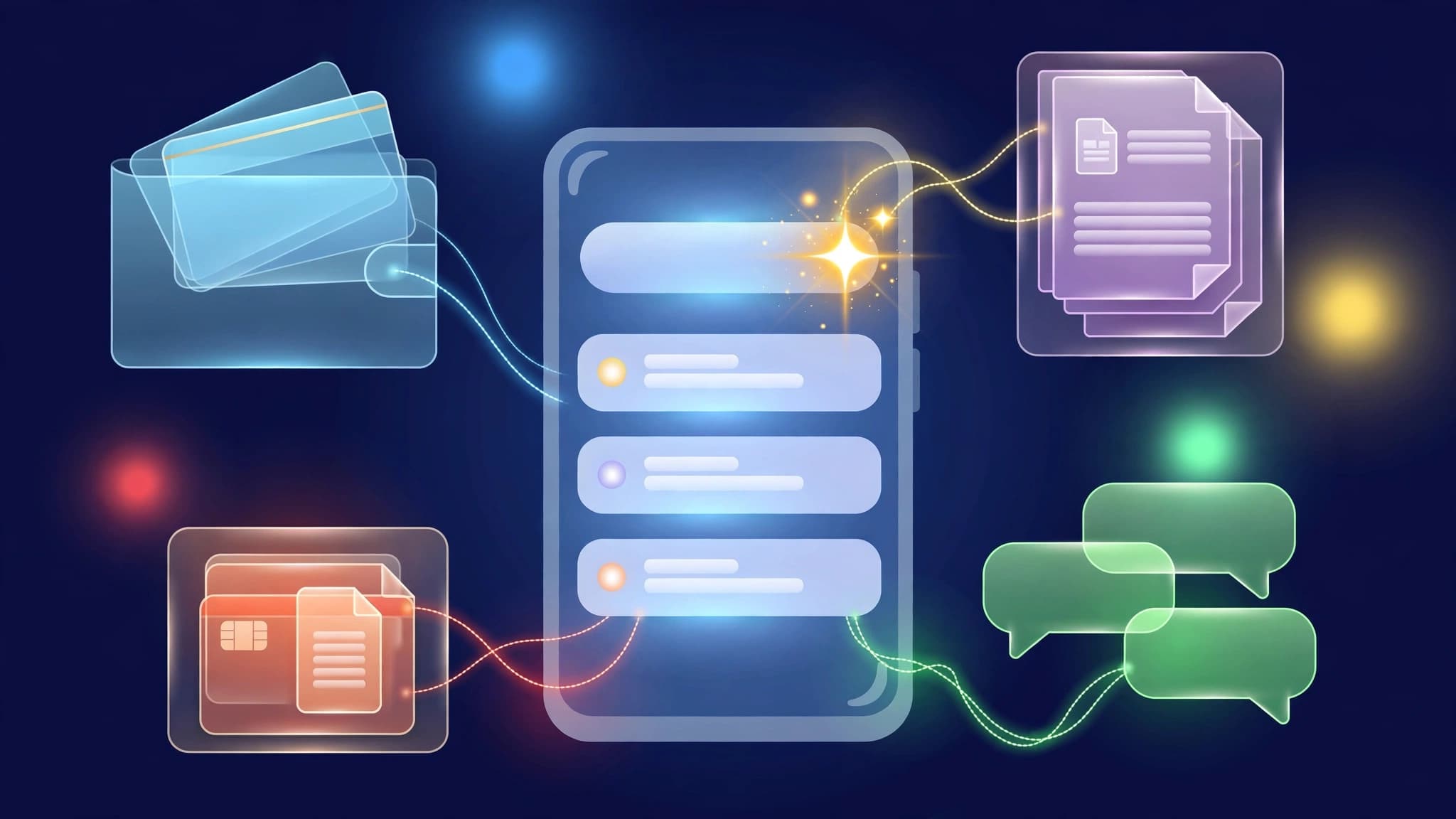
Google is expanding what its AI Mode in Search can know about you — but only if you let it. On 23 November 2026, Google announced that Wallet can be connected to Personal Intelligence in AI Mode, starting to roll out today, with support for Google Drive and the Gemini app following in the coming weeks. The new connections bring context from your spending, documents and chats directly to Search.
The announcement comes from Robby Stein, Vice President of Product, Google Search. His point is a practical one: an AI Mode that knows your spending, your documents and your recent chats can give you answers tailored to you, instead of the generic answers everyone gets.
There is one guardrail Google puts first, and it is the part of the announcement that matters most: the Wallet connection is read-only. AI Mode can only read information from your accounts; it cannot move, manage or invest your money.
What Wallet brings to Search
Connect Wallet, and AI Mode can use your spending context to help with money questions. Google's examples are deliberately everyday ones: you can map out your financial milestones and identify actionable ways to trim everyday spending. You can also maximise credit card benefits — like optimising cash-back categories, travel perks and reward points — based on the cards linked via Wallet.
That is a different kind of personalisation from remembering what you searched for. Your cards and your spending say something about what you can afford, what you already pay for, and where a better deal exists. Used well, that context turns a vague question about a trip or a purchase into an answer that fits your actual finances.
Used badly, it would be the most sensitive data Google Search has ever held about you. Which is why the read-only limit is not a footnote — it is the feature the whole announcement depends on.
Read-only by design
Google states the limit plainly: if you choose to connect your Wallet, AI Mode can only read information from your accounts; it cannot move, manage or invest your money. Independent coverage the same day repeats the same wording, which is reassuring — this is a stated design constraint, not a paraphrase that drifted between outlets.
Read-only also sets the boundary for what to expect. AI Mode will not pay a bill for you, shift money between accounts, or buy something on your behalf because it noticed a good price. It can read your spending and suggest; it cannot act on your money. Anyone expecting an AI that manages their finances should not expect that from this connection.
The opt-in framing matters here too. Nothing is connected automatically. You choose if and when you opt in, and you can turn those connections on or off at any time. That control is the other half of the trust argument: the connection is yours to grant and yours to revoke.
Drive and the Gemini app are next
Wallet is the connection rolling out first. Drive and the Gemini app follow in the coming weeks — Google gives no exact dates, and this article gives none either.
With Google Drive connected, AI Mode can take your Docs, Sheets and PDFs into account. Google's example is a personalised preparation plan ahead of tax season — the kind of task where the relevant facts are scattered across documents you already have, and the useful answer is one that reads them together.
The Gemini app connection works both ways. In the coming weeks, you will be able to share context across the Gemini app and AI Mode in Search, so if you explore an idea in the Gemini app, AI Mode will have that foundation to build on, and vice versa. Search history could already be connected to Personal Intelligence in the Gemini app; the new option lets you connect the Gemini app itself to Personal Intelligence in AI Mode.
There is a timing nuance worth stating precisely, because it is easy to misread. According to 9to5Google, the option to connect the Gemini app is available today, but the feature itself will go live in the coming weeks. With the connection, AI Mode can access your Gemini chats, what you have shared with Gemini Apps — like photos, files, audio or video attachments, and screens you ask about — and associated insights and locations. So "available today" means the switch is there; it does not mean the Gemini context is flowing into Search today.
It joins Gmail, Calendar and Photos
The new apps join Gmail, Calendar and Photos in delivering more tailored responses with your personal context. Before this announcement, Personal Intelligence in AI Mode supported Google Photos and Workspace — Gmail and Calendar — to customise responses based on your data.
That history is worth knowing, because it shows the direction of travel. Personal Intelligence started with what you search for, then added your email, calendar and photos. Wallet, Drive and the Gemini app extend the same idea to your money, your documents and your AI chats. Each step makes the answers more personal — and each step makes the opt-in and the off-switch more important.
How to connect — and how to switch it off
Connecting is straightforward. To connect your apps to Personal Intelligence in AI Mode, open Search Personalization, select Connected Apps, and then choose the apps you want to connect.
Staying in control is built into the same screen. You choose if and when you opt in, and you can turn those connections on or off at any time. Google also says you will soon be able to view the context AI Mode uses via a "Personalization" icon below any tailored response. And if you want to correct something, you can simply tell AI Mode in the thread — Google's example is responding "I'm no longer a vegetarian."
That last detail is small but telling. Personalisation built on your data will sometimes be wrong about you, and the fix Google offers is conversational: say so, in the thread, and it changes. It is a very different model from a settings page you have to hunt for.
Answers that pick up where you left off
The other half of the announcement is about continuity. You will also start seeing more personally relevant responses in AI Overviews and AI Mode, tailored to your recent search context. Google's example is trip planning: if you have been researching and planning for a trip, you can pick up right where you left off in a new search thread without starting over or repeating yourself.
That is the payoff Google is selling for the connections: not a single clever answer, but a Search that remembers the thread of what you are doing. Wallet tells it what you can spend, Drive tells it what you have already worked out, and your Gemini chats tell it what you have already explored. The result, if it works as described, is less re-explaining yourself.
Some context: Wallet was already in the Gemini app
One piece of context helps place the announcement. According to Unite.AI, Google began rolling out Wallet in the Gemini app on 13 November 2026 for all U.S. Gemini app users across web, Android and iOS. On that account, the 23 November move extends Wallet's role into Search rather than being its first Gemini integration.
That background comes from a single secondary source, so treat it as context, not as the load-bearing claim of this article. The announcement itself — Wallet rolling out for Personal Intelligence in AI Mode, Drive and the Gemini app in the coming weeks, read-only, opt-in — rests on Google's own blog and on 9to5Google's same-day coverage.
The bottom line
Google's AI Mode is becoming personal in a more serious sense than before. Wallet is starting to roll out today, Drive and the Gemini app follow in the coming weeks, and the connections are opt-in, read-only for your money, and reversible at any time.
The honest test is not the announcement but the rollout. Wallet is starting to roll out — gradually, not to everyone at once — and the Drive and Gemini app connections are still weeks away. If you connect Wallet when it reaches you, check two things: that the answers genuinely get more useful, and that the Personalization icon shows you exactly what context AI Mode used. If both hold, the trade is a fair one. If either fails, the off-switch is there for a reason.
Sources
CurrentBeam uses AI-assisted research and drafting. Our editorial guidelines explain our sourcing, review process, and how to request corrections. Editorial guidelines
Help improve this article
Found an error or missing context? Send the article link and supporting source to our editorial team.
Email a correction